Reviews
Overview
Within the reviews overview all existing reviews are displayed.
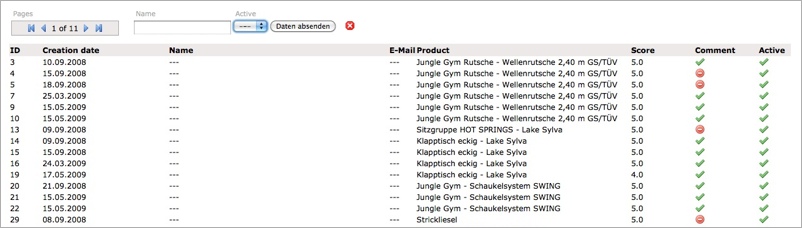
Navigation / Filtering
You can filter and navigate through the displayed reviews:

With the page navigation you can navigate through all customers.
To filter the reviews by name just fill in the name field and click
Submit.To filter the reviews by activity state just select the state and click
Submit.To reset the filter just click on the red
Xbutton.
Sorting
To sort the displayed reviews click on the columns title.
Details
To view a review in detail just click on it.
Details
Within the review detail view you can see several information about a single review:
The general information: the id, activity state, creation date, reviewer’s name, reviewer’s e-mail, customer’s registration state, the reviewed state, the score.
The comment of the review
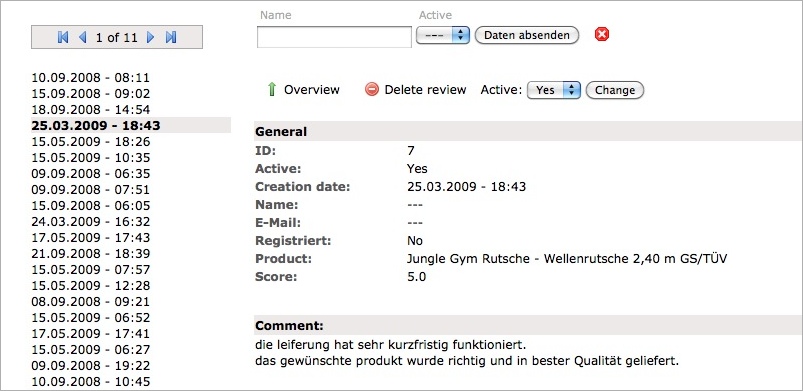
Navigation / Filtering
You can filter and navigate through the displayed reviews on the left:
With the page navigation you can navigate through all customers.
To filter the reviews by name just fill in the name field and click
Submit.To filter the reviews by activity state just select the state and click
Submit.To reset the filter just click on the red
Xbutton.
Actions

- Delete review
To delete the current review just click on the
Delete reviewbutton and answer the confirmation question withYes.- Change activity state:
To change the activity state of the current review select the desired state and click on the
Changebutton.Note
Only active reviews are displayed.